HowTo: Set environment variables
This document explains how to set up environment variables to dynamically adjust your application settings when creating a VCS Instance via the TWAI user site and TWCC CLI.
info
This feature is available for Linux VCS Instances.
Step 1. Create VCS Instance and set environment variables
- TWAI Portal
- TWCC CLI
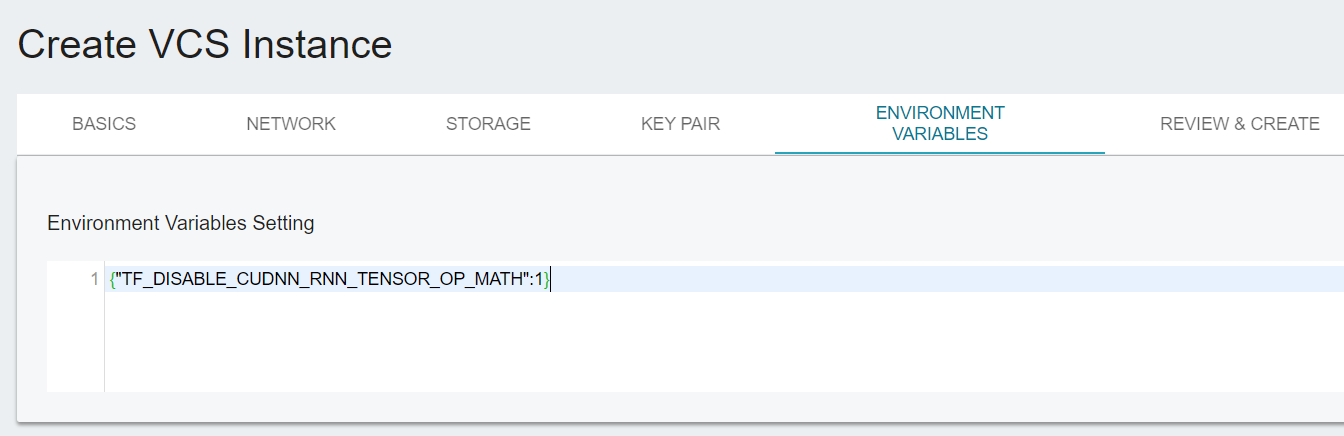
When creating the instance, specify the environment variables in the "Environment Variables" section on the create instance page, and complete the deployment.
info
The environmental variables Key and Value are set in the following format (JSON), and multiple variables can be set at once:
    {
    "Key1":"Value-a",
    "Key2":"Value-b",
    "Key3":100
    }
twccli mk vcs -envk KEY -envv VALUE
Step 2. Confirm environment variables
Connect to a VCS Instance and confirm that the environment variables are imported to the instance using the following command:
echo $Key

# Enter your key, e.g., $Key1