Check available U-T Cloud projects
Step 1. Sign in to U-T Cloud Member Center
Sign in to the U-T Cloud Member Center with your U-T Cloud account and password. If you have not signed up yet, please refer to Sign up for a U-T Cloud account.
Step 2. Check available projects
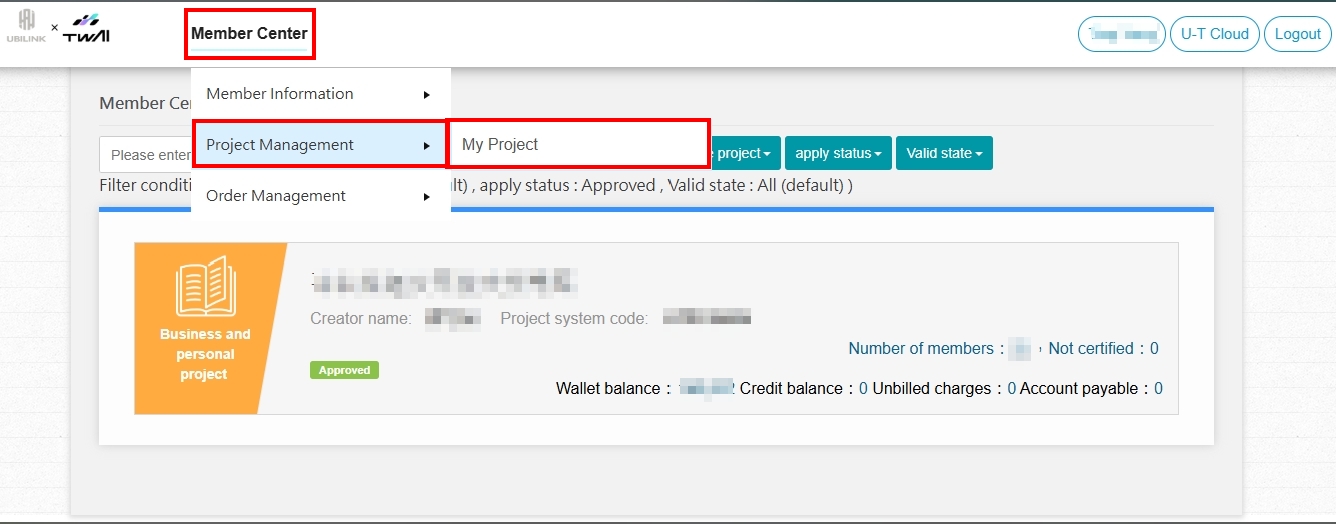
Click ❶ Member Center ➡️ ❷ Project Management ➡️ ❸ My Projects ➡️ ❹ If your project application is approved or you have been added as a project member, the project information will be shown below.
info
If you do not have a project available for U-T Cloud, you can ask the project leader (creator) or the tenant admin to add you to a project. Please refer to Manage project members.