Security Group
Security Groups allow you to set rules to manage network segments, protocols, and ports for controlling network access.
Create a security group
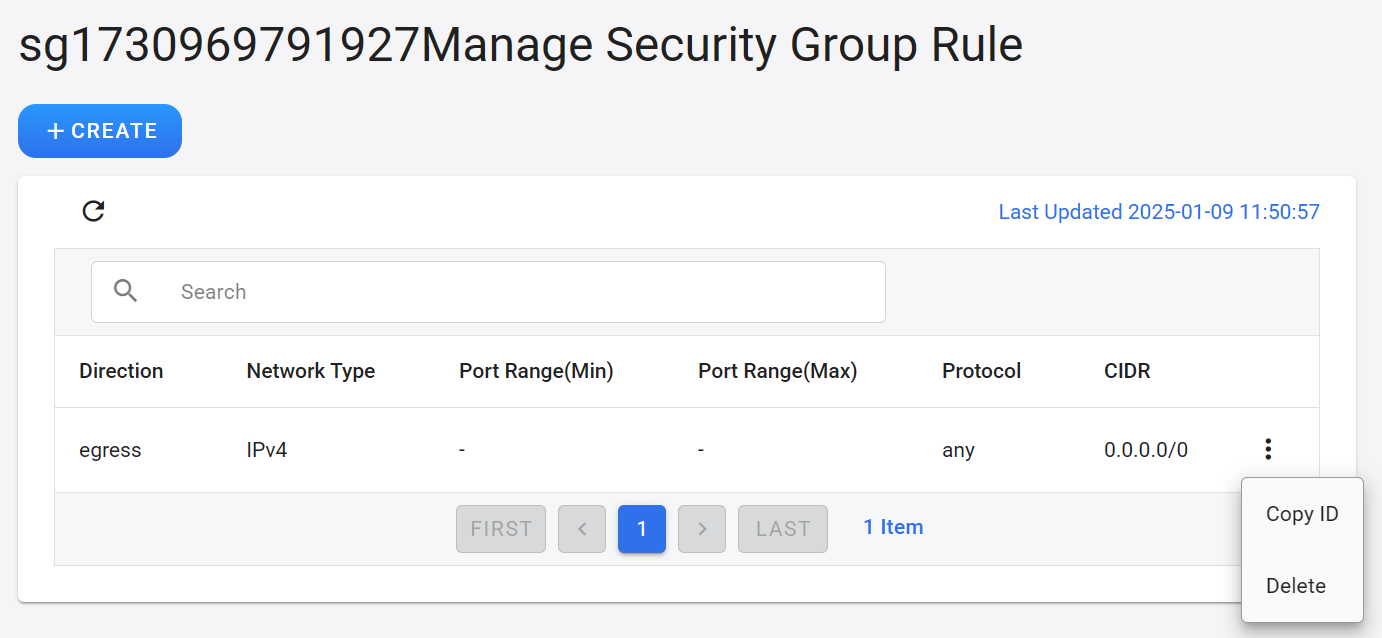
- Go to the security group management page and click + CREATE.
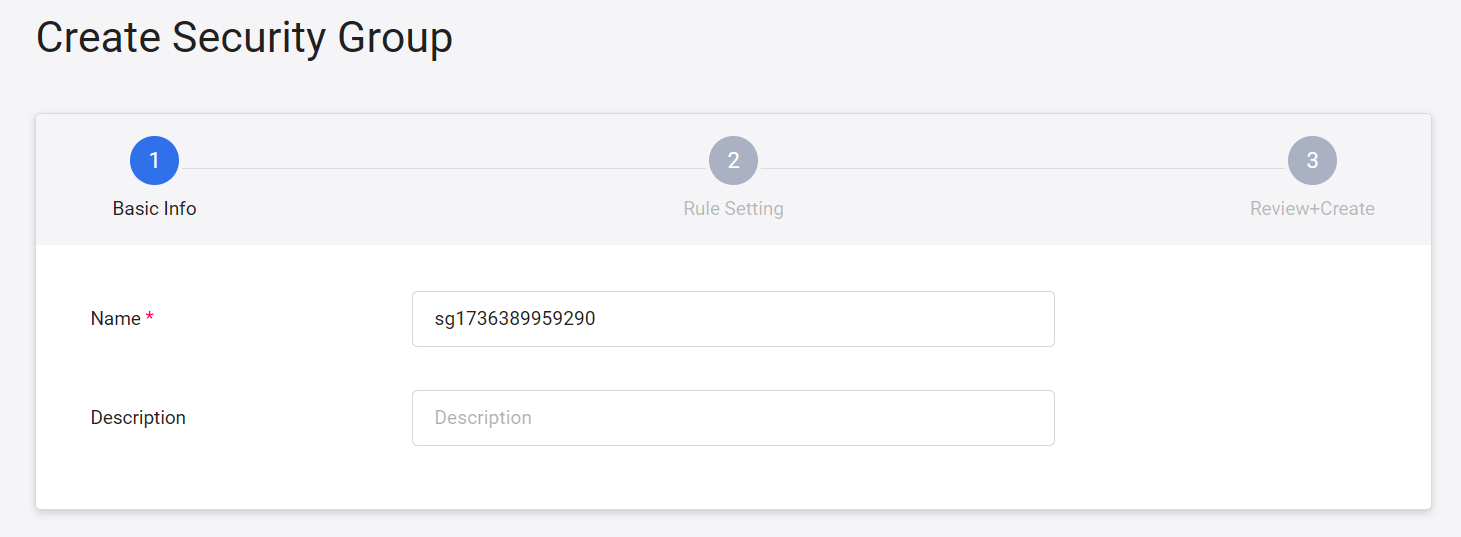
- Enter a name and description for the security group, then click NEXT: RULE SETTING >.
info
The security group name cannot use default.
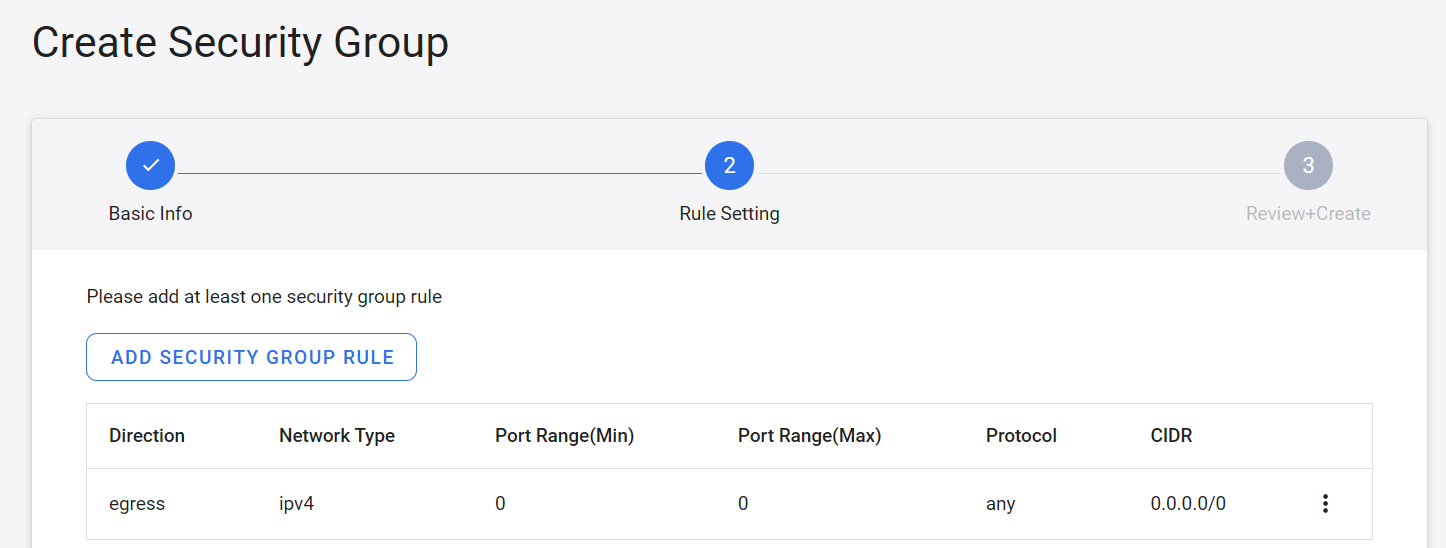
- The system will preset a set of security group rules. Click ADD SECURITY GROUP RULE to create more security group rules.
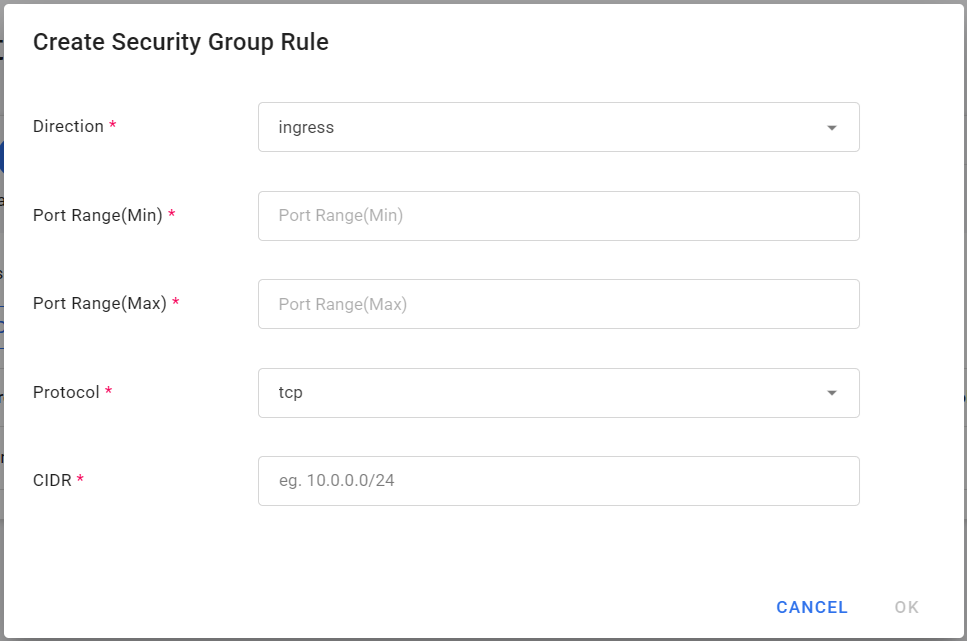
- Fill in the settings in the Create Security Group Rule window and click OK when completed.
- Direction: Select ingress for input or egress for output.
- Port Range (Min): Set the starting port for applying this rule.
- Port Range (Max): Set the port range to which this rule ends.
- Protocol: Select the protocol you want to control, such as tcp, udp, icmp, etc.
- CIDR: The CIDR network segment to which this rule applies.
- After completing the new security group, click NEXT: REVIEW + CREATE >.
- Review the security group rule settings and click CREATE after confirming.
warning
After the security group is created, the system automatically generates two preset security rules. Do not delete or modify these rules unless necessary. Removing or altering them may prevent the virtual machine from logging in properly or accessing required system services.
The system preset rules are as follows:
- Egress: 169.254.169.254/32, TCP 80
- Egress: 0.0.0.0/0, UDP 67–68
Manage security groups
- After the security group is created, it will appear in the security group list. Click the more options icon on the right side of the list to perform Copy Service ID and Delete.
- Click on the list to view and manage the security group rules for that group.
Delete
- Click the more options icon to the right of the listing, then click Delete.
Manage security group rules
- Enter the security group rule management page to view the security group rule list. Click the more options button on the right side of the list to perform Copy ID and Delete.
- Click + CREATE at the top of the page to add security group rules.