Virtual Network
The Virtual Network Service offers secure and flexible networking functions to help you easily access resources and applications.
info
- Project administrators can manage virtual networks; project users can only use created virtual networks.
Create a virtual network
- Select Virtual Network from the Services list, enter the Virtual Network Management page, and then click + CREATE.
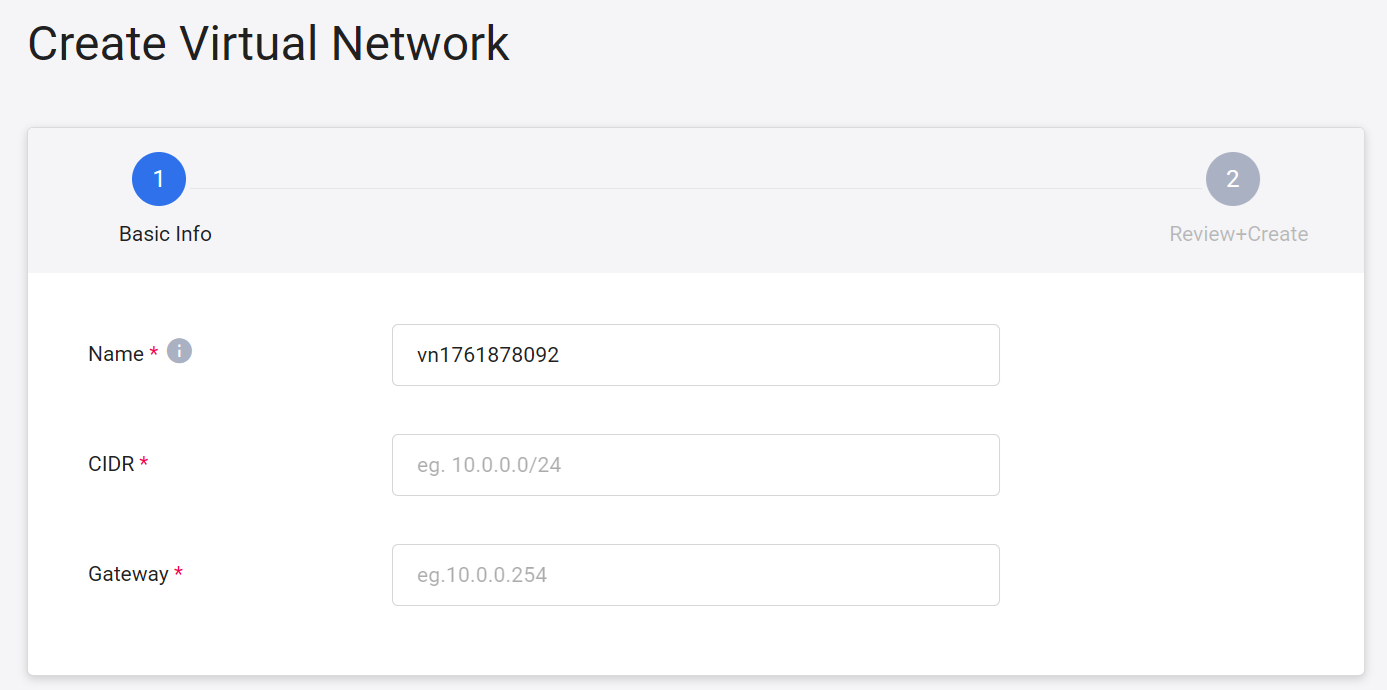
- Enter the information for the virtual network settings and click NEXT: REVIEW + CREATE > once completed.
- Name: Set the virtual network name. It cannot be repeated and cannot be changed after it is created.
- CIDR: Classless Inter-Domain Routing (CIDR), specifies the address range of a virtual network and cannot be repeated with other virtual network segments.
- Gateway: Given a default gateway.
Manage virtual networks
- The newly created virtual network will appear in the list on the virtual network management page. Wait until the state changes to
activebefore you can start using it. - Click the more options icon on the right side of the list and select Disconnect/Connect external network, Copy Service ID or Delete.
Disconnect/connect to external network
- Click the more options icon on the right side of the list, then click Disconnect external network or Connect to external network.
Delete
- Click the more options icon on the right side of the list, then click Delete.
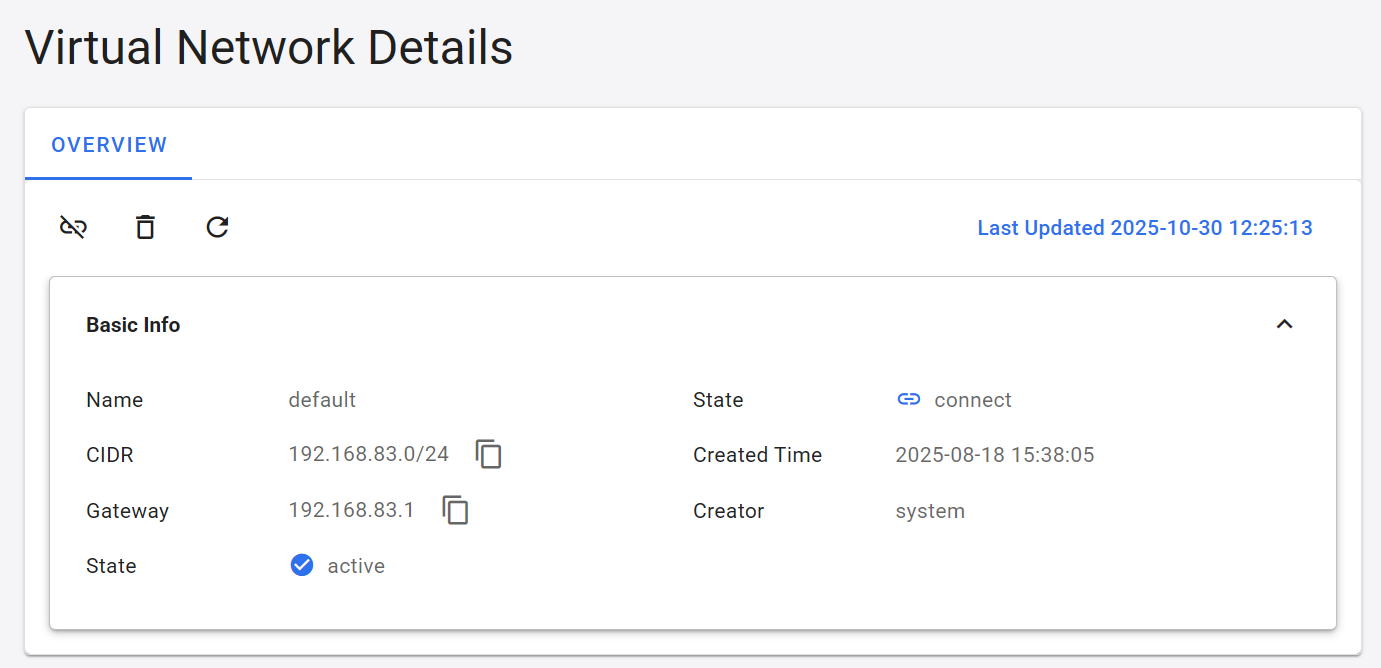
View virtual network
- Click a list to view its detailed information, and click the icons on the command bar to perform Disconnect/Connect, Delete and Refresh.