Redeem coupons
Step 1. Log in to TWAI member center
Please first log in to TWAI member center. If you don't have an account yet, please register one first.
info
You must have a TWAI account to redeem your coupons. If you do not have an account yet, please register one first.
Step 2. Enter the Redemption Code page
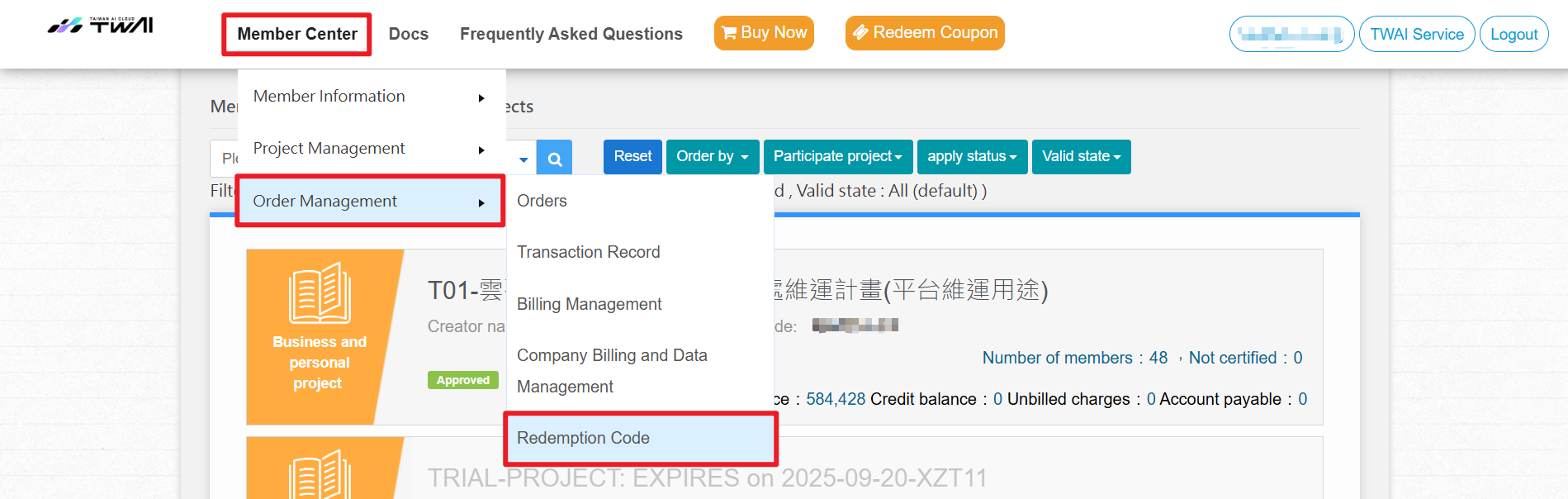
- Go to Member Center, and click Redeem Coupon.

- Or, you can also go to Member Center > Order Management > Redemption Code.
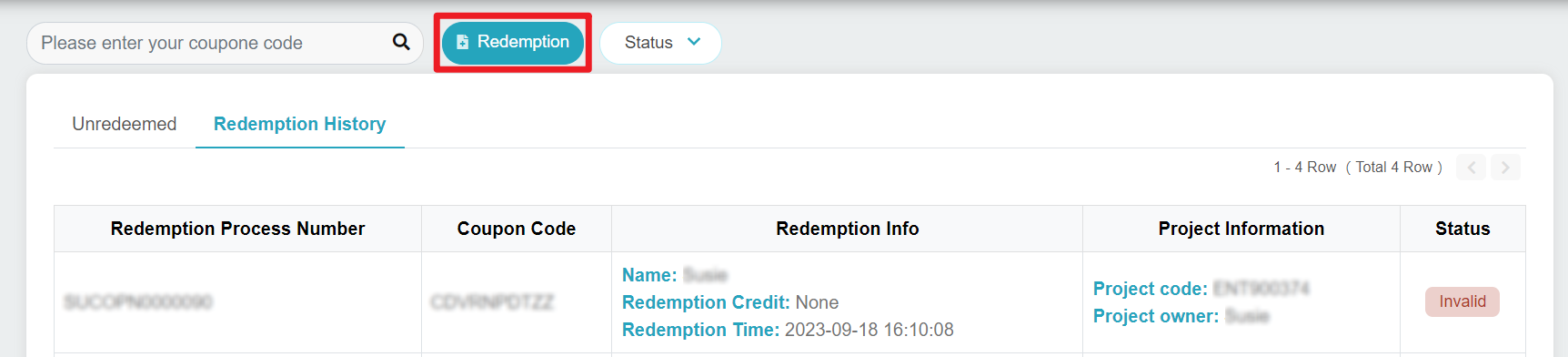
- Click Redemption.
Step 3. Redeem your coupons
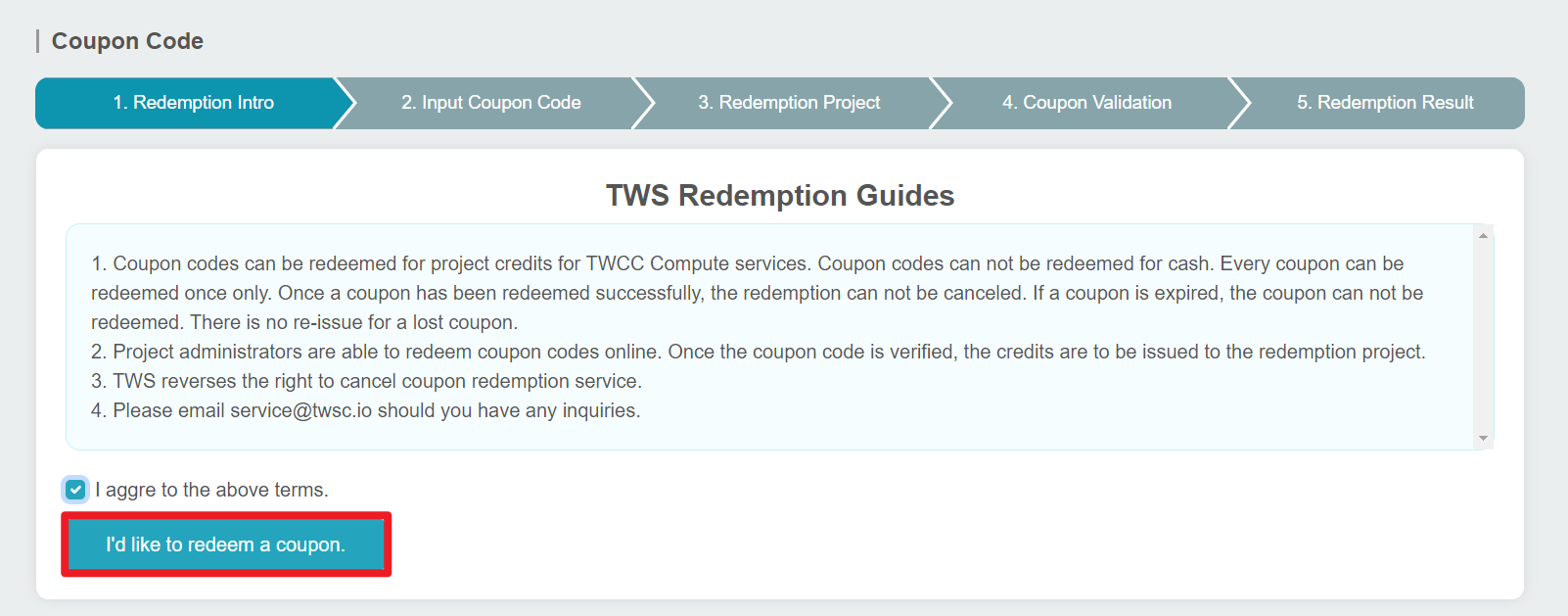
- Review the terms and click I'd like to redeem a coupon.
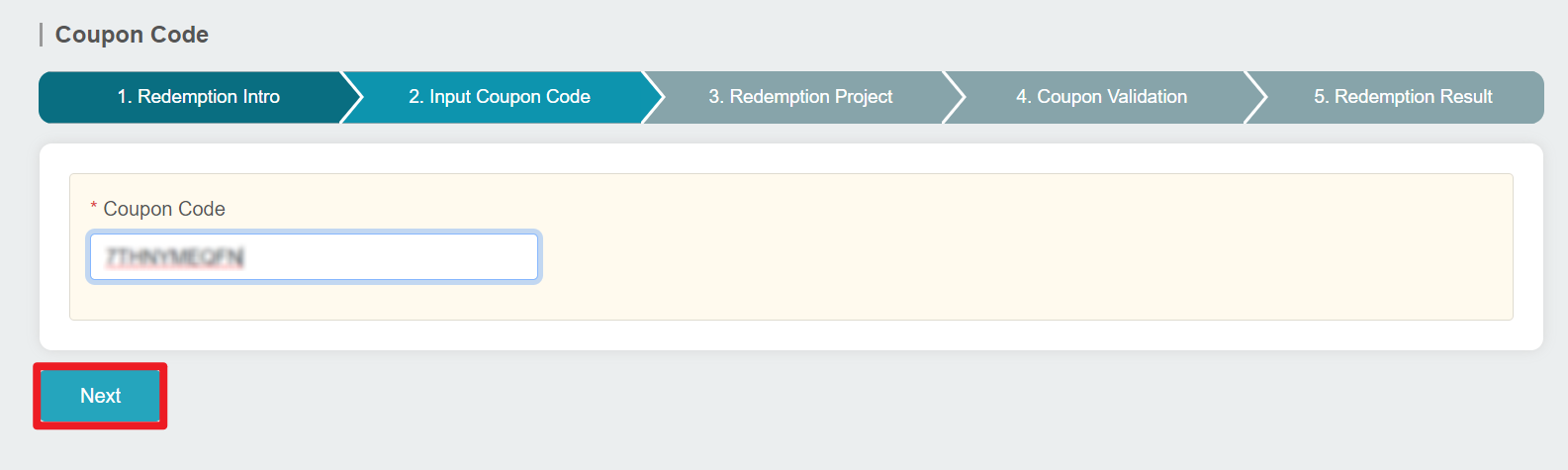
- Enter your coupon code, and click Next.
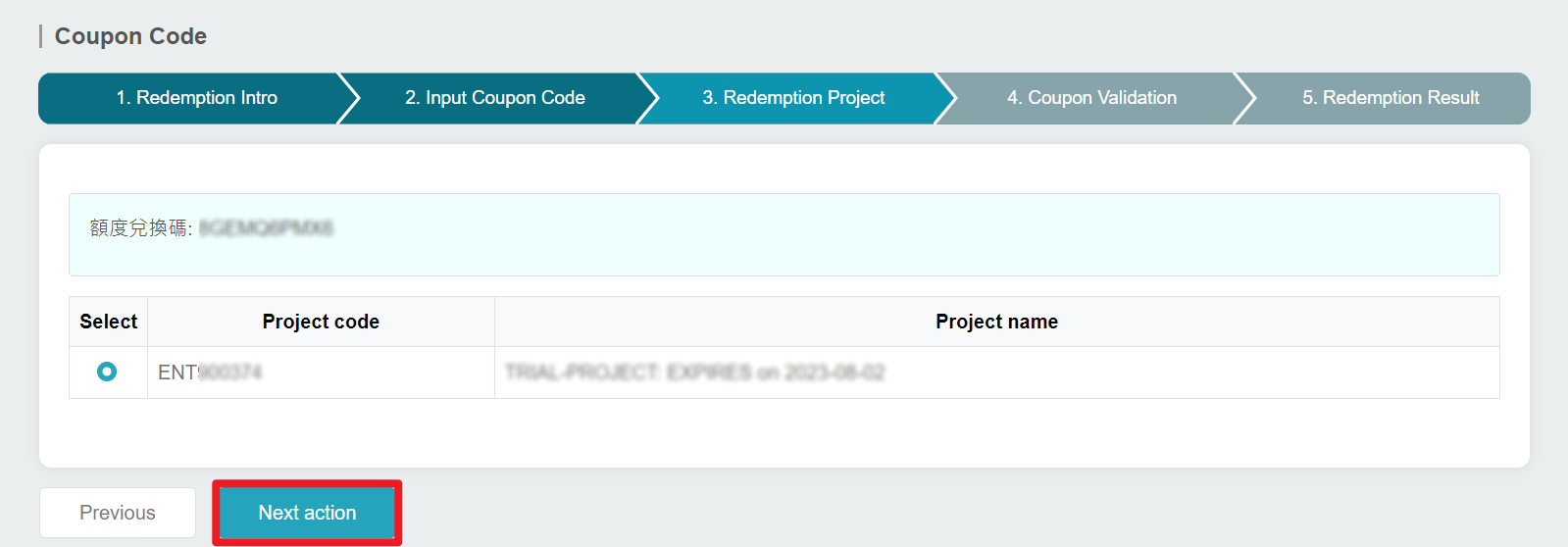
- Select the project to which you want to allocate your quota. Click Next action.
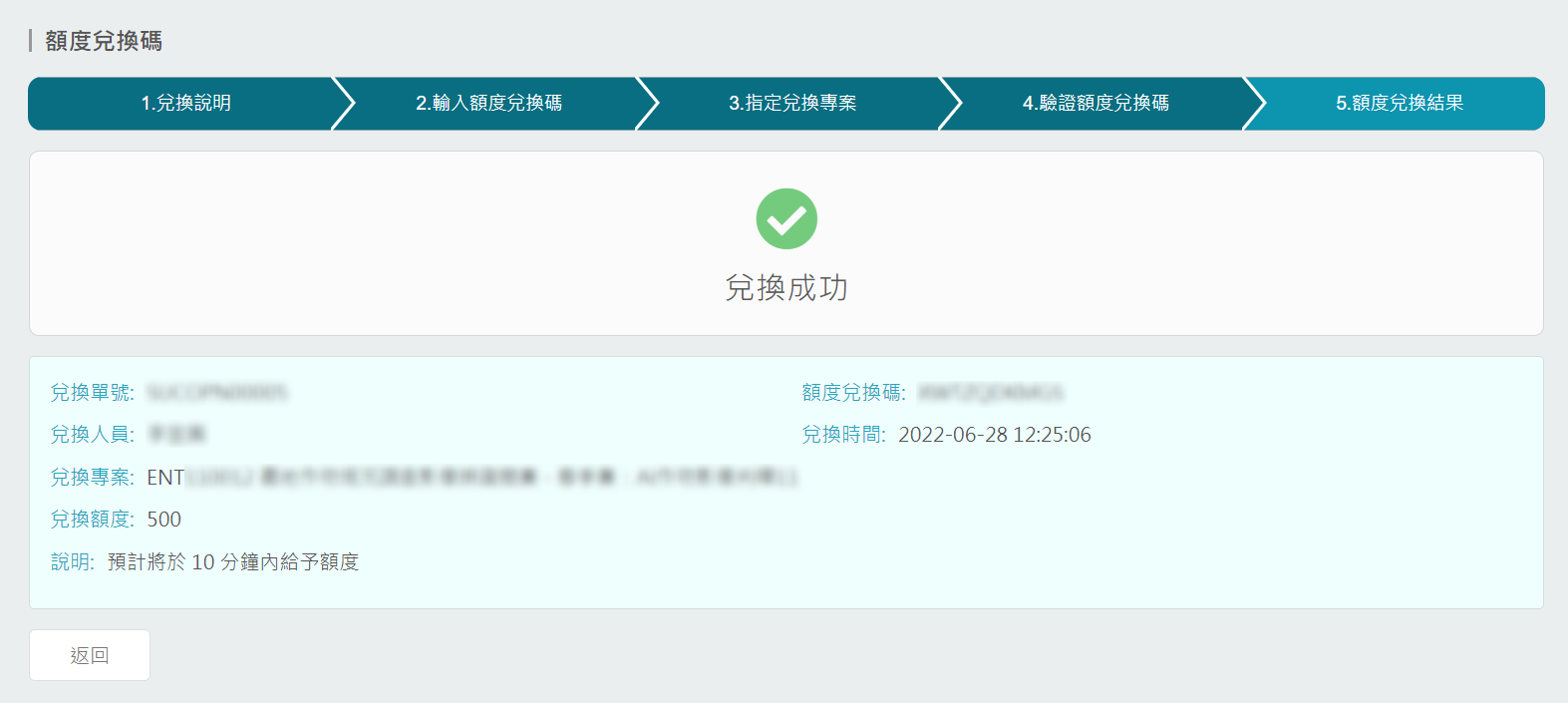
- If the redemption is successful, you will see the following screen. Please wait for 10 minutes for the quota to be transferred.
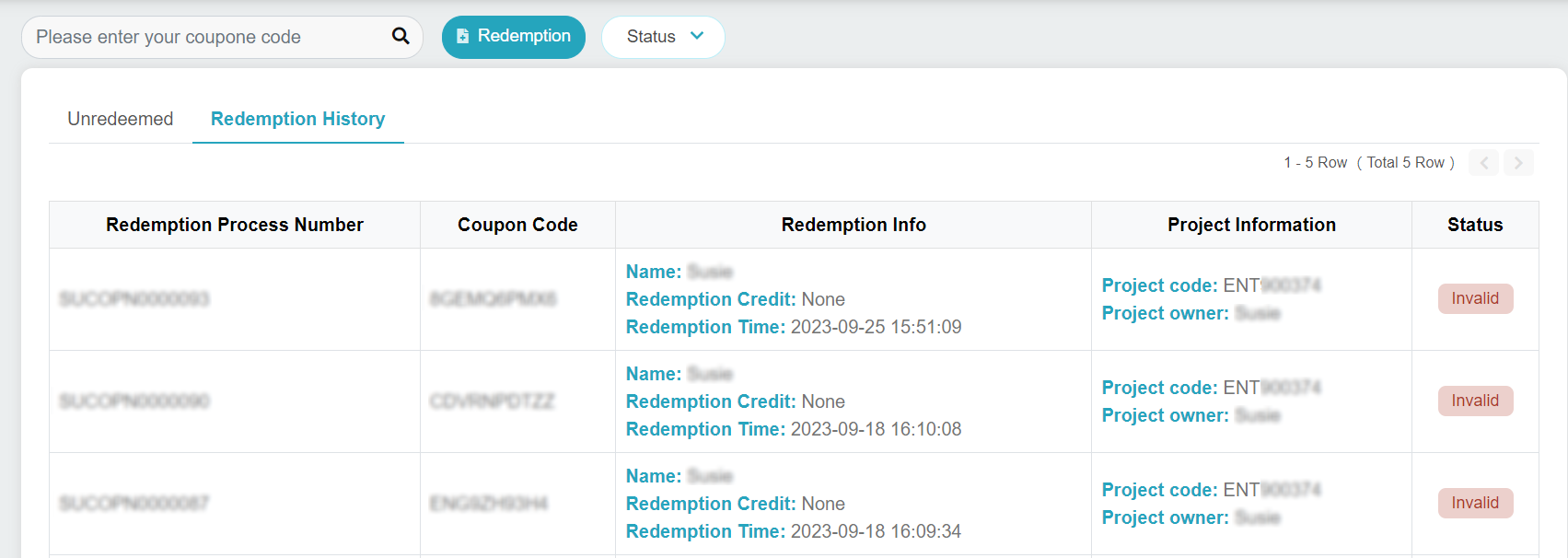
- Click Return to go back to the Redemption page. You can view the redemption history, status and the unredeemed redemption codes.
- After a successful redemption, you will receive email notifications.
