Sign up for a TWAI account
Go to TWAI official website and sign up for an account for TWAI Member Center!
Step 1. Get started
Go to TWAI official website and click the Sign in/Sign up button in the upper right corner.

Step 2. Choose the platform to register
- H100 service: Please select the right platform
- Other services: Please select the left platform
If all services will be used, please register both left and right platforms, and complete the phone and email verification.

Step 3. Enter email address
Enter a valid email address as your account name and click the Confirm to continue.
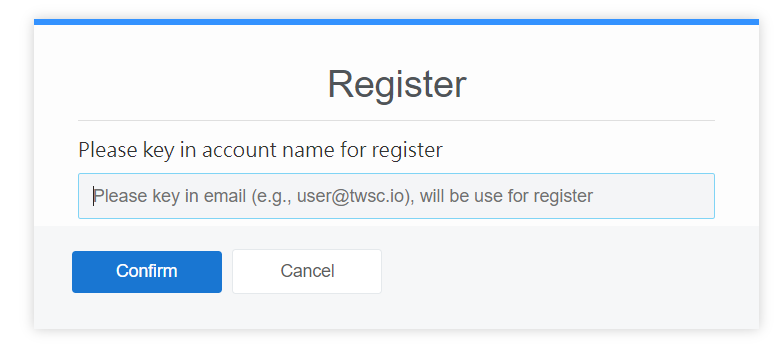
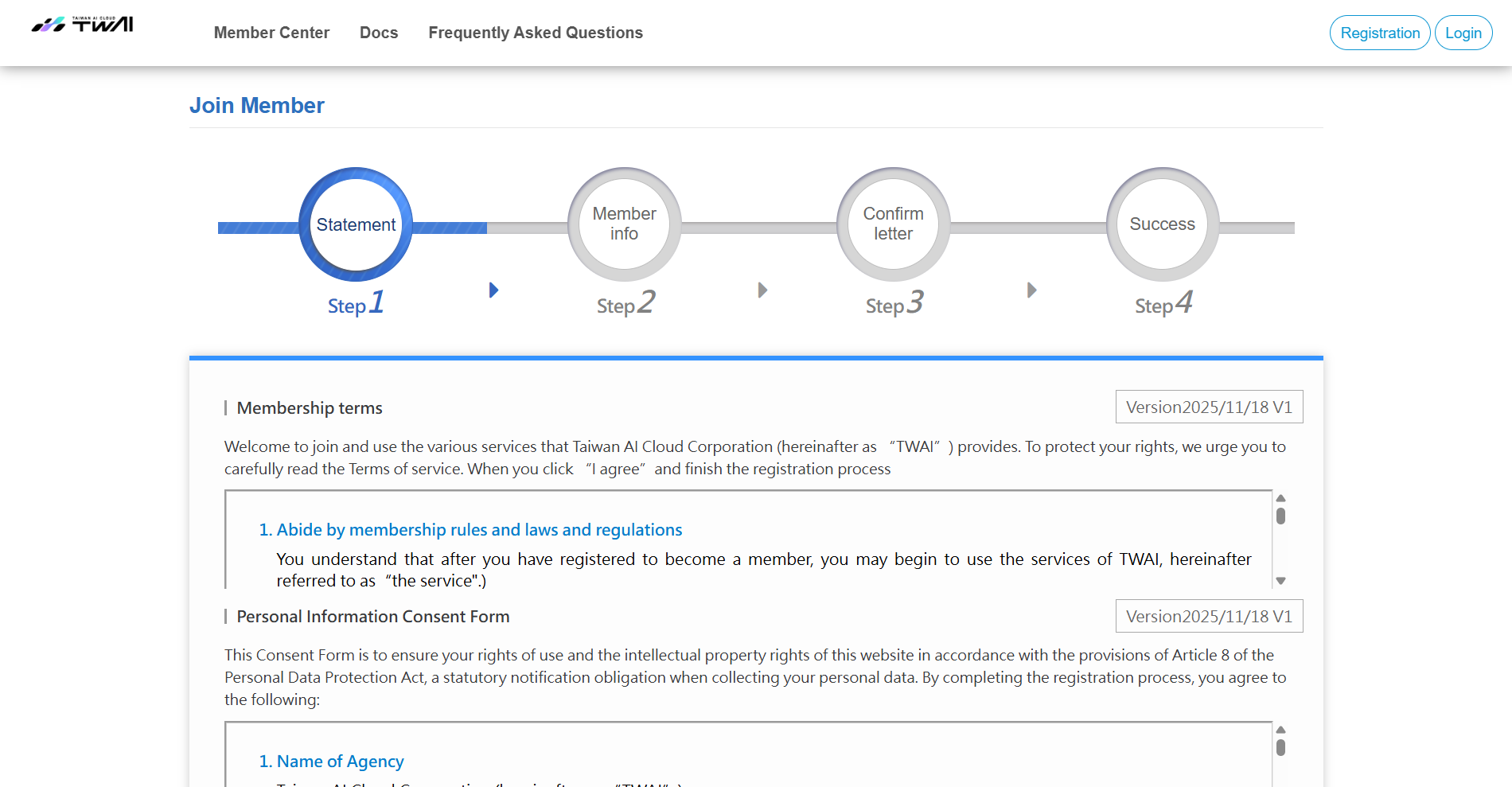
Step 4. Terms and conditions
Scroll down to check the box after you read the Membership terms, Personal Information Consent Form, TWAI Platform Terms of Service, and TWAI Service Level Agreement (SLA), and click I agree.

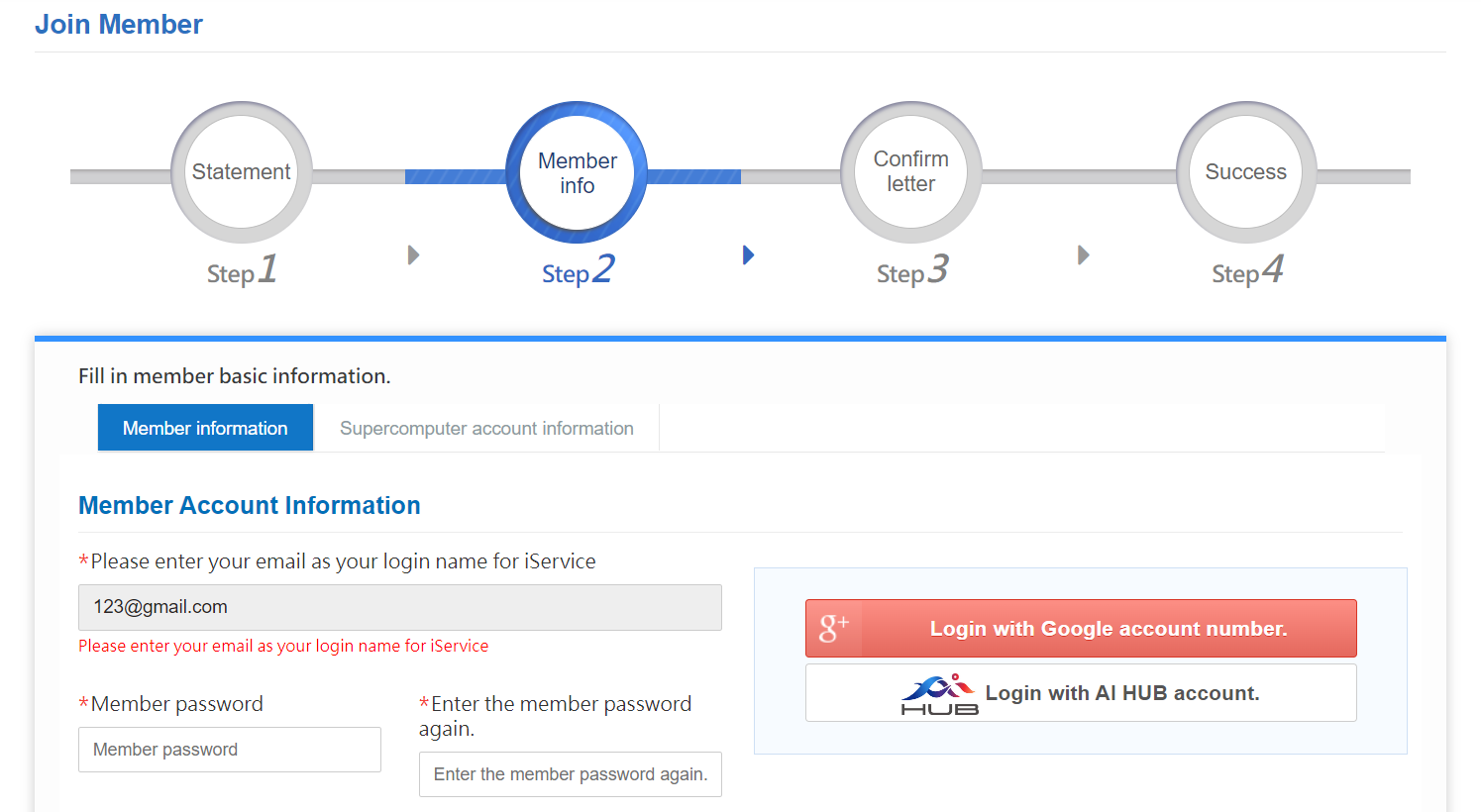
Step 5. Fill in basic information
- Set your member password and fill in your basic information.
- Set your system password.
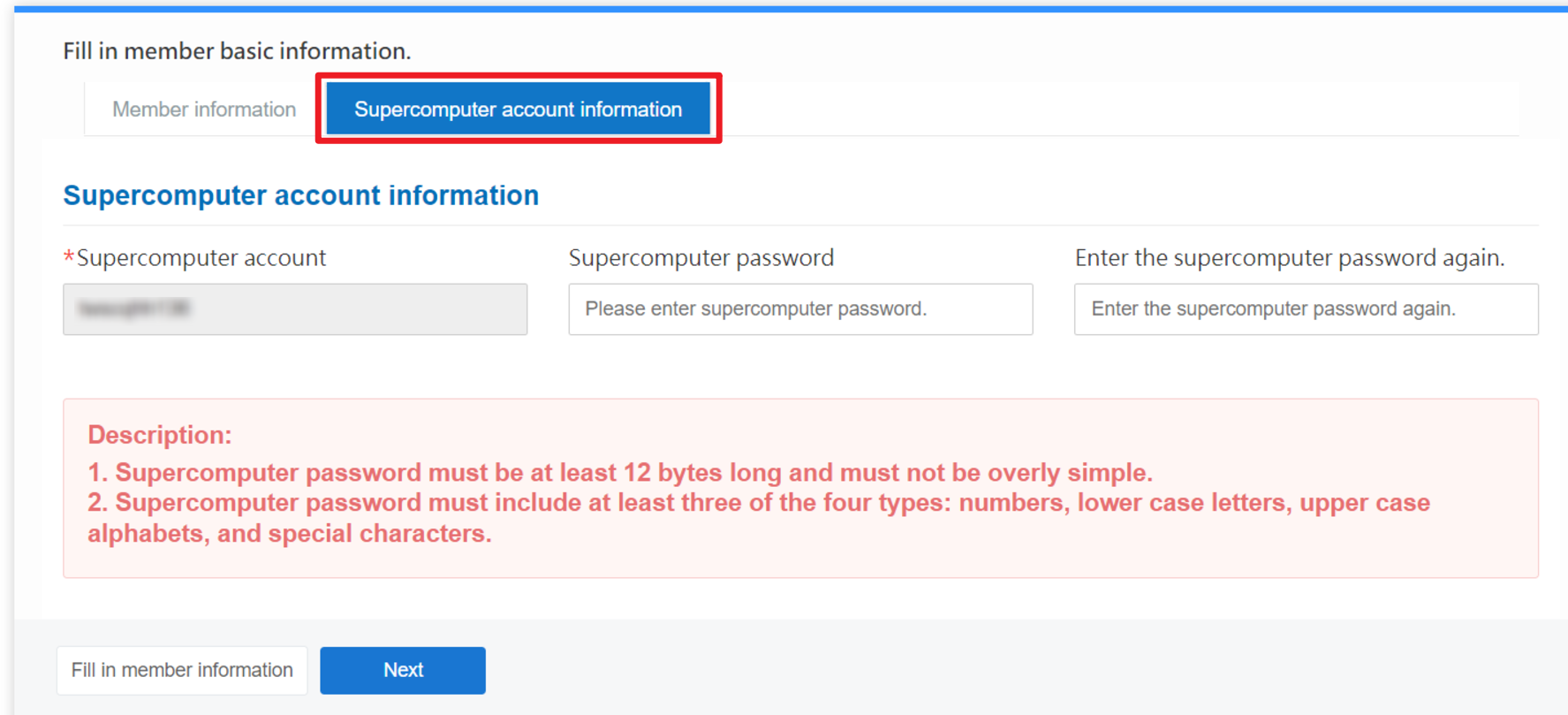
Step 6. Email and phone verification
Verify your email address and phone to complete the registration!
Once you have signed up for your TWAI account, refer to Apply for free trial project/purchase TWAI services to get started with TWAI!