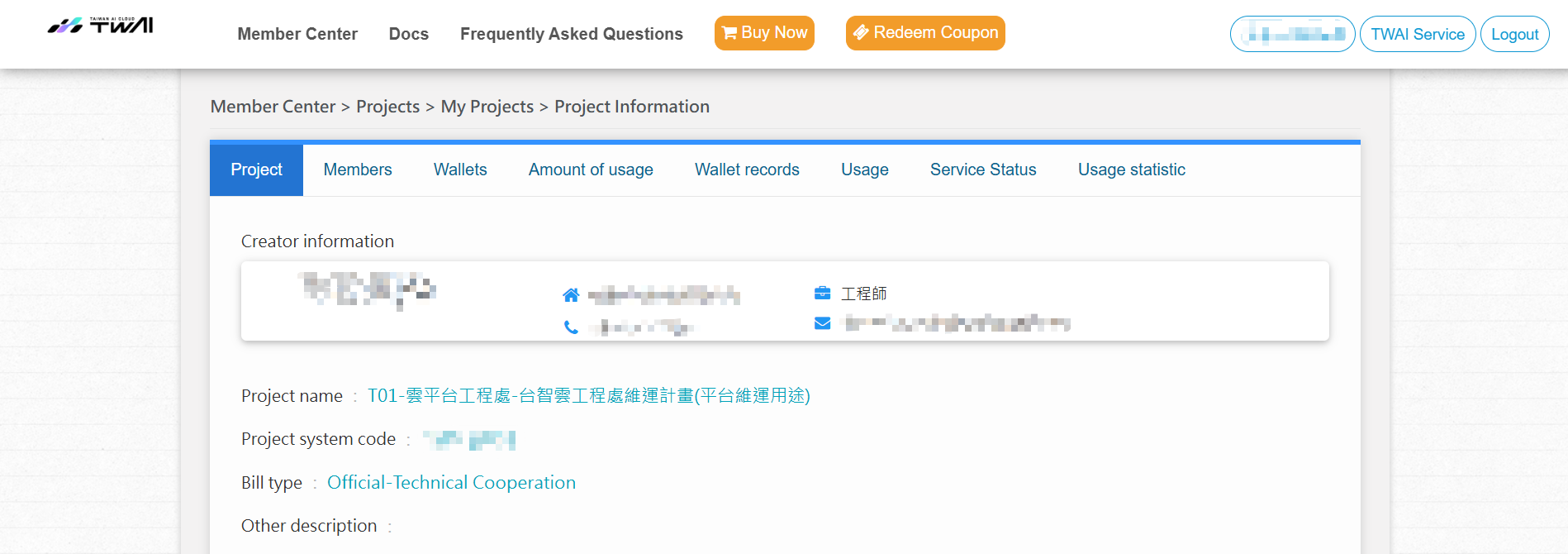
View TWAI project information
You can view your project information by signing into the TWAI Member Center or learn how to view project information from the TWAI and link to the TWAI Member Center to learn more by following the steps below.
Step 1. Sign in to TWAI
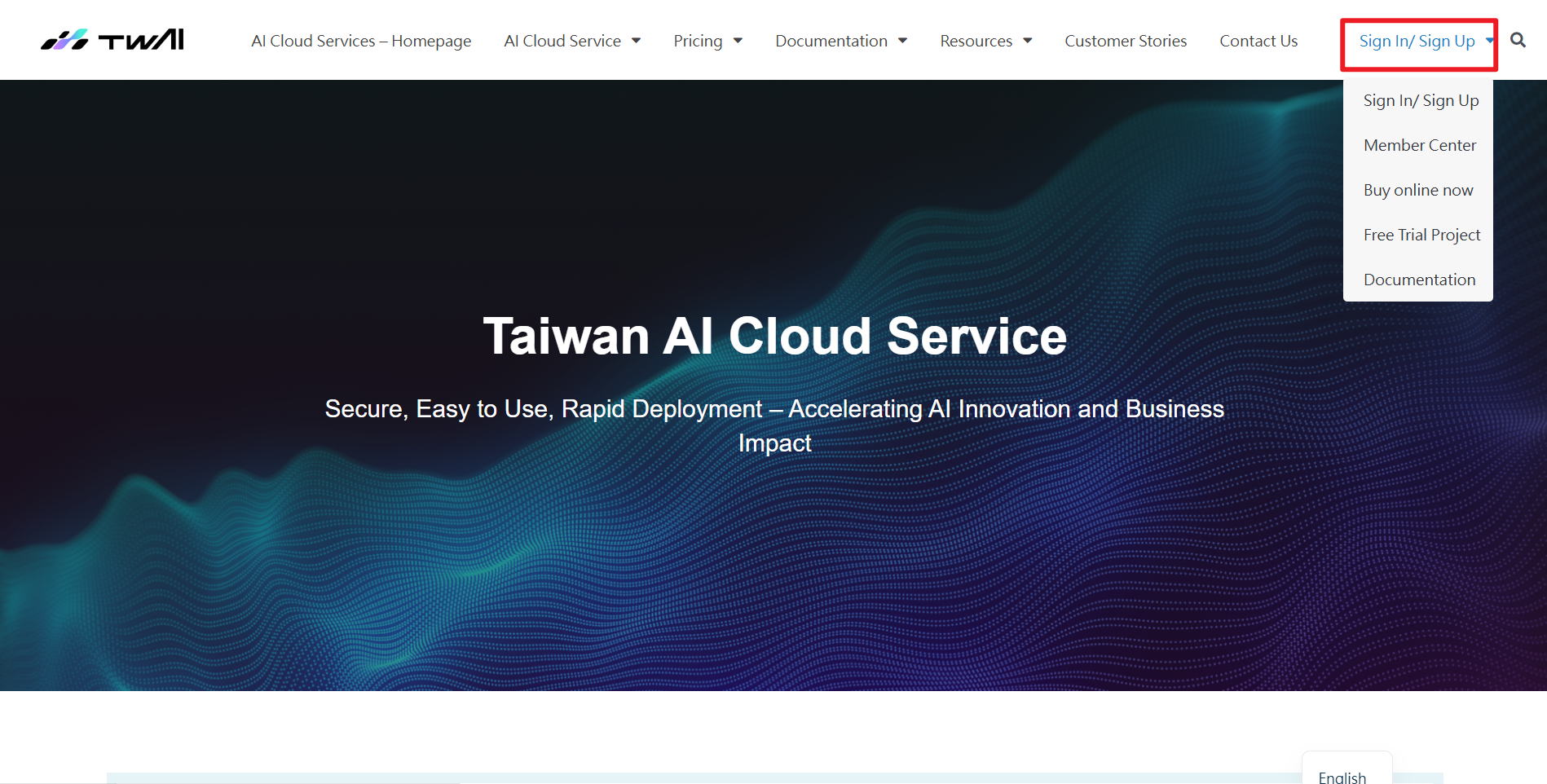
Step 2. View project information
After signing in, you can view the project information on the overview page, which contains:
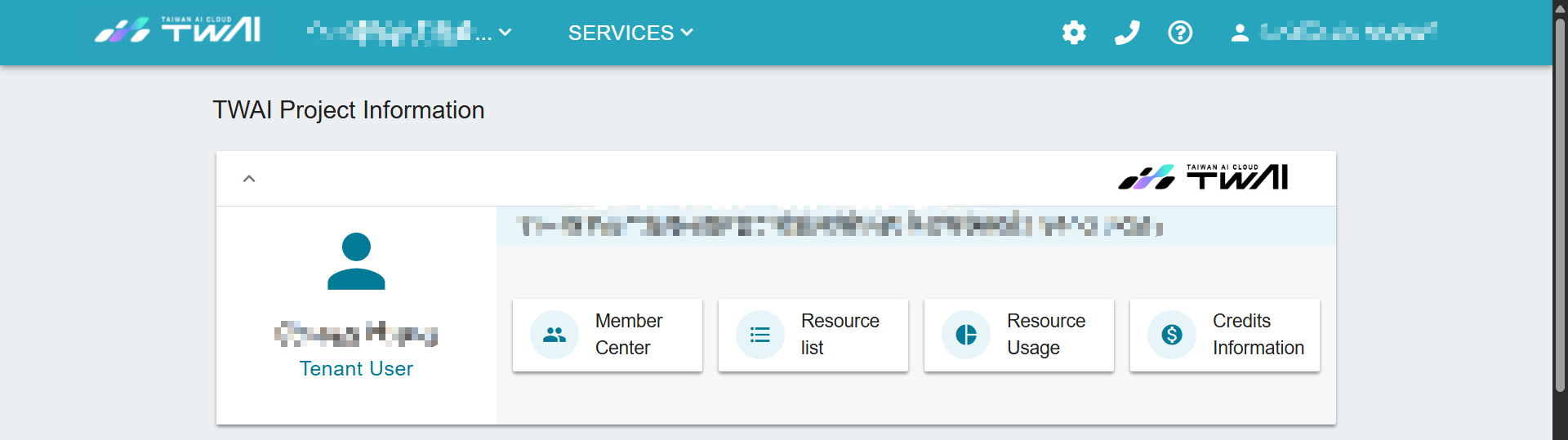
❶ User roles: Tenant Admin or Tenant User, both of which have different titles and different icons.
For the difference in permissions between the Tenant admins and Tenant Users using TWAI, please refer to User permissions comparison.
❷ Click Member Center to view the list of project members and edit members (add/delete/set as administrator or general member)
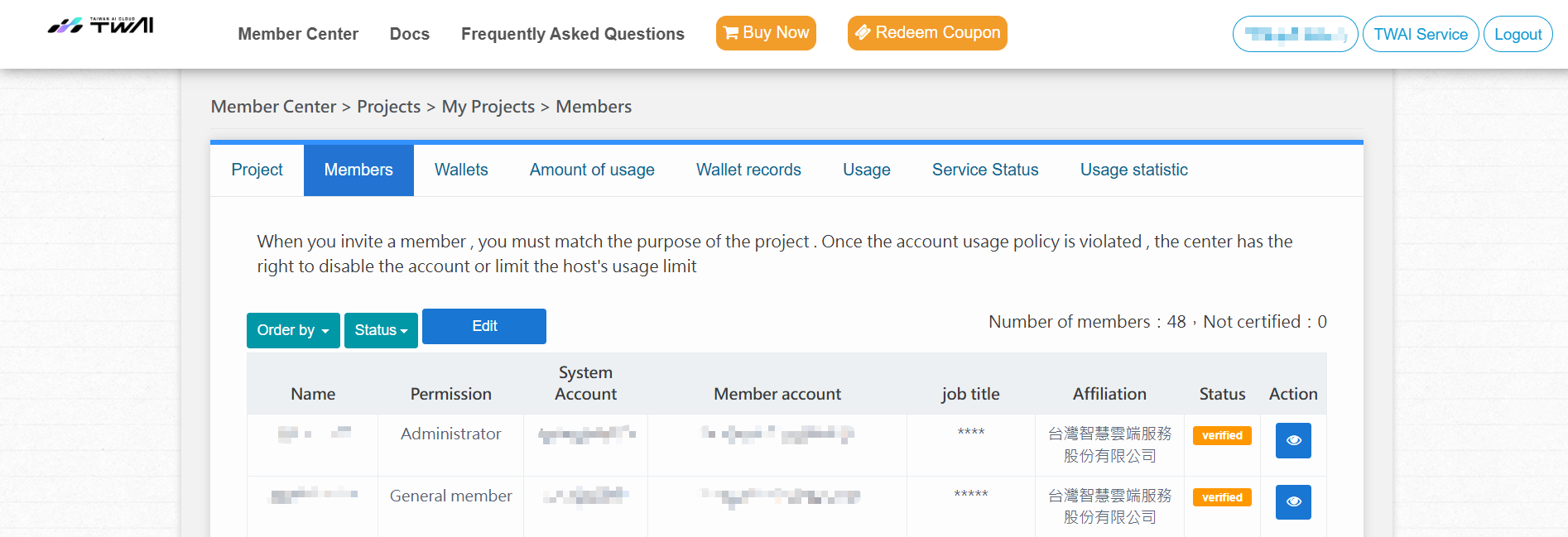
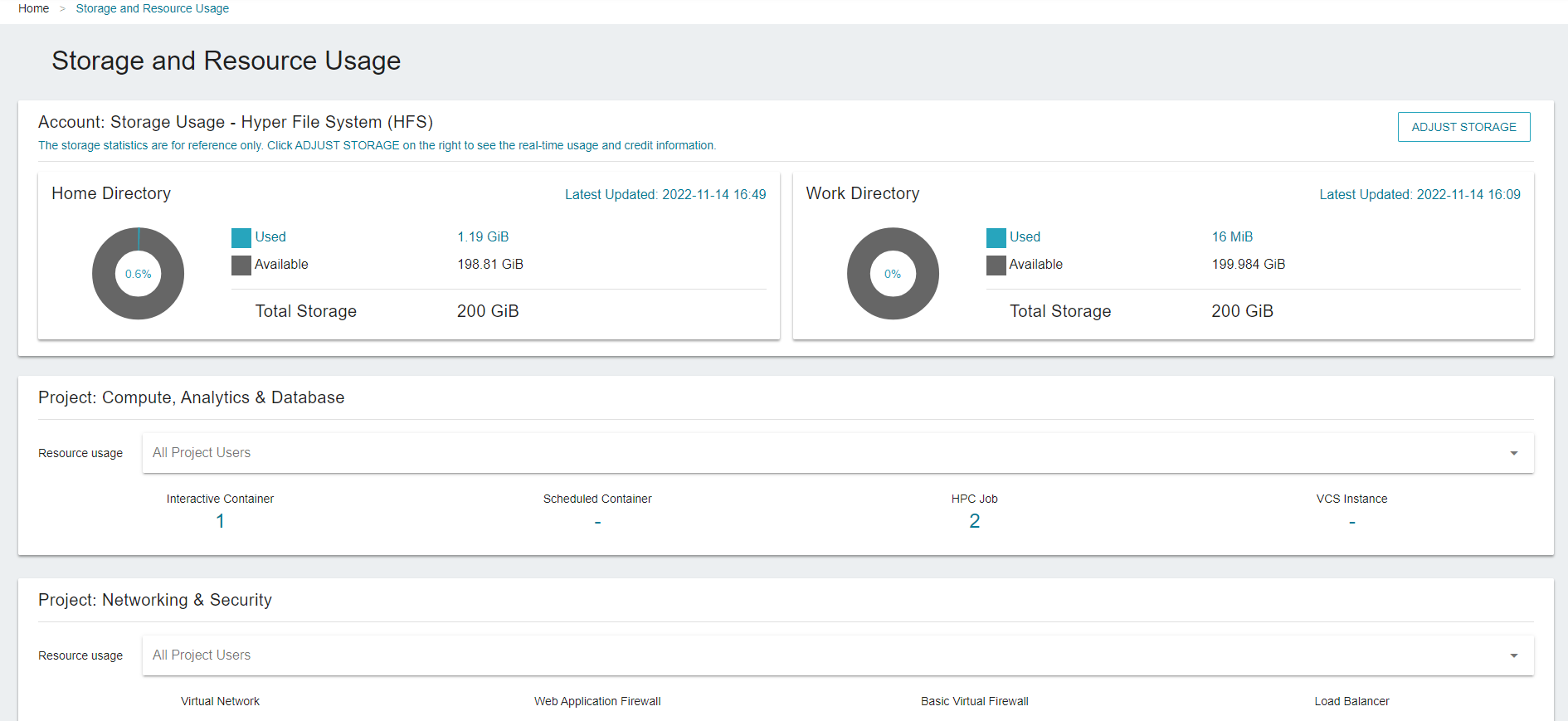
❸ Click on Resource list to view the following used resources
- Storage usage: Capacity of Hyper File System (HFS) /home and /work directories
- Used
- Available
- Total Storage (Free or Purchased)
- Compute, Analytics & Database: the number of resource services that have been created
- Network & security: the number of resource services that have been created
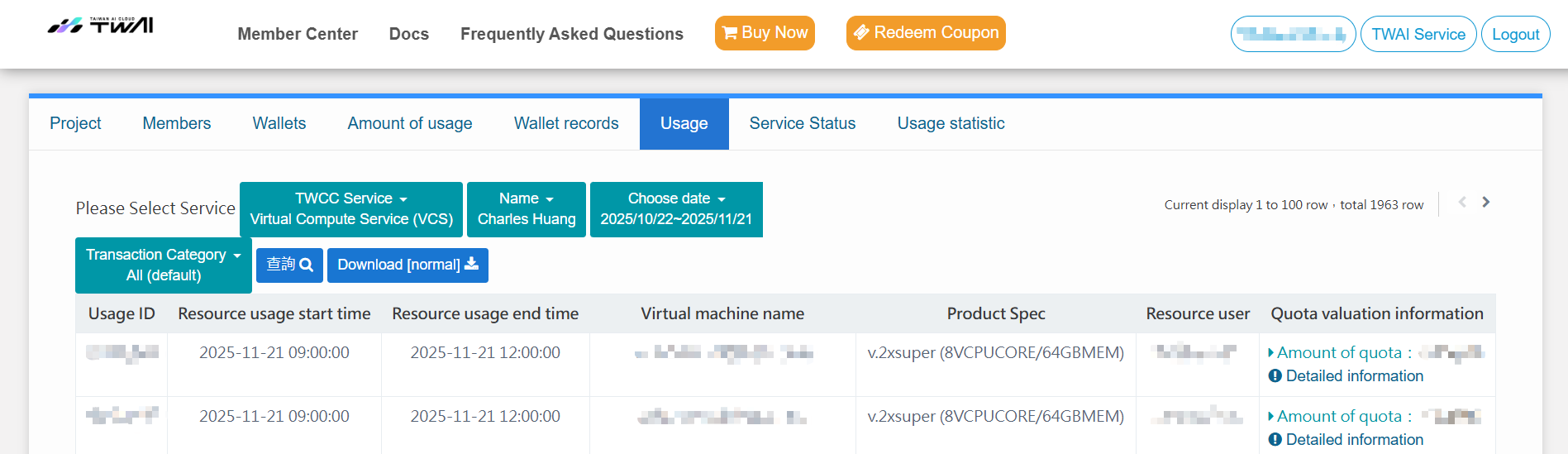
❹ Click Resource Usage and select a service to view the usage records of each service resource
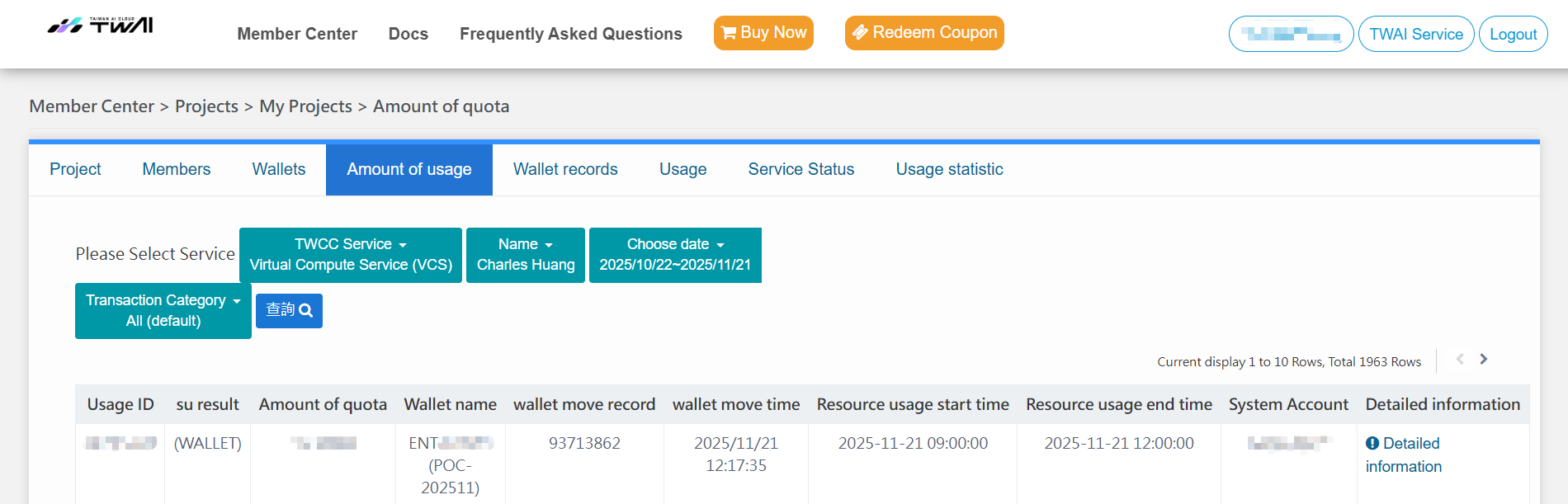
❺ Click on Credit Information and select a service to view the resource usage record of each service
Once you have accessed the Member Center through the link above, you can view more information about other projects: orders, invoices, service activation status, usage statistics, etc.